
iPhone Wallpaper Size (2026): The Exact Pixels for Every Model
The term “iphone wallpaper size” means the pixel dimensions your screen needs for a background. It is measured as width by height, like 1179 × 2556 pixels. The right size matches your model, so the image looks sharp and fills the whole screen.
Have you ever set a wallpaper that turned out blurry or zoomed in? That happens when the image size does not match your screen. The good news is that the correct size fixes this fast and makes your phone look crisp.
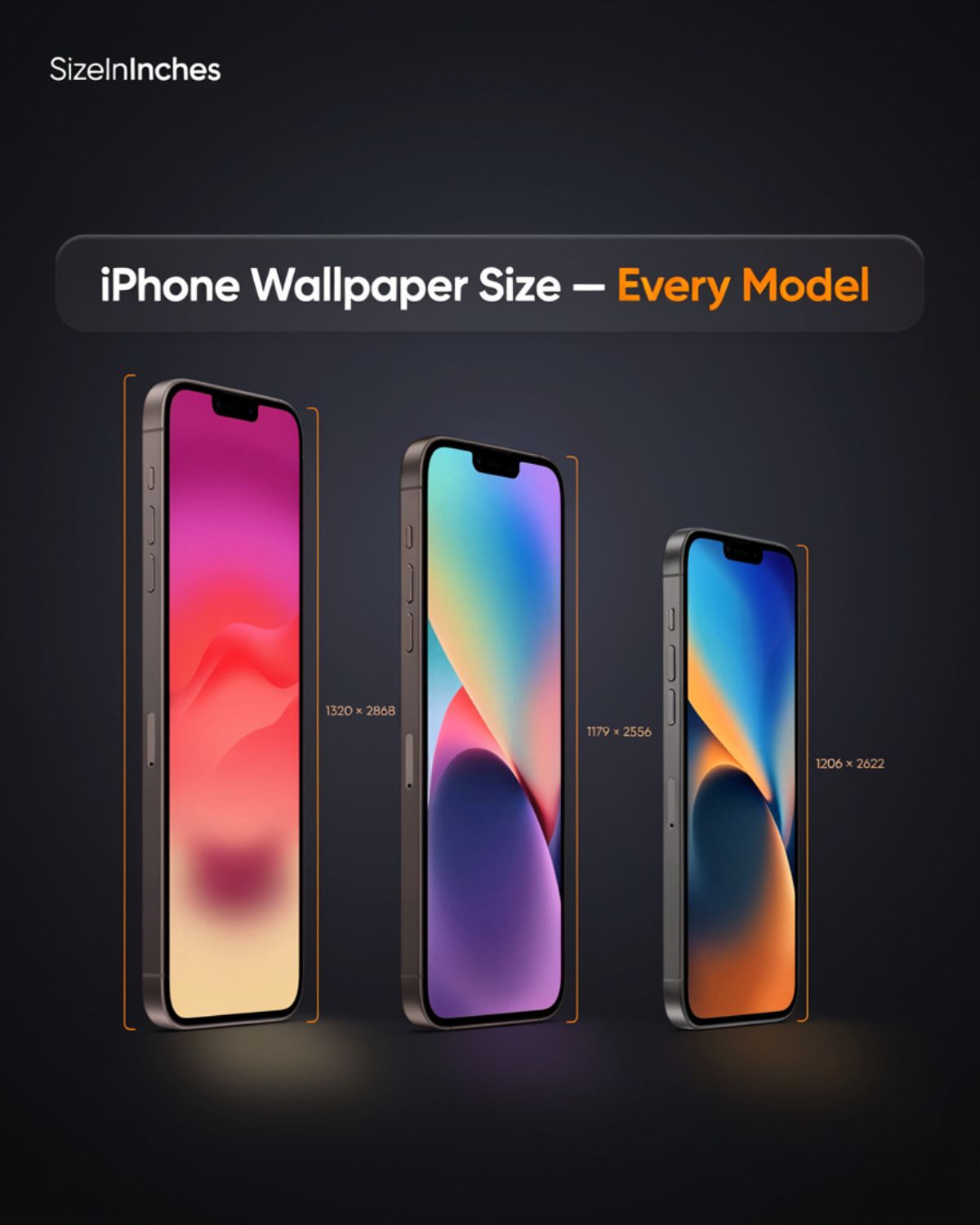
Each iPhone model has its own wallpaper size. The iPhone 17 Pro Max uses 1320 × 2868 pixels, while most standard iPhones use 1179 × 2556. All modern iPhones share a tall 19.5:9 shape, which suits portrait images best.
iPhone Wallpaper Size in Different Units
The flagship iPhone 17 Pro Max screen packs 1320 × 2868 pixels into a 6.9-inch display. That works out to about 440 × 956 points in Apple’s design system, at a sharp 460 pixels per inch (PPI). Here’s how that headline spec breaks down across the numbers that matter for a wallpaper.
| Unit | Equivalent | Notes |
| Pixel resolution | 1320 × 2868 px | iPhone 17 Pro Max, the current top model |
| Aspect ratio | 19.5:9 | Tall and narrow, used on all modern iPhones |
| Logical points | 440 × 956 pt | What iOS uses at a 3x scale factor |
| Pixel density | ~460 PPI | Why the screen looks so crisp |
| Screen size | 6.9 in / 17.5 cm | Measured diagonally, corner to corner |
| Total pixels | ~3.79 million | Width times height |
Quick Reference: Wallpaper Size by iPhone Model
Here’s the full chart of iPhone screen resolutions. Each size is exact, since it matches the phone’s native display. Find your model, grab the numbers, and you’re set. For the sharpest look, use an image at this size or a little larger.
| iPhone Model | Wallpaper Size (px) | Screen / Notes | Best For |
| iPhone 17 Pro Max | 1320 × 2868 | 6.9-inch, 460 PPI | Largest current screen |
| iPhone 16 Pro Max | 1320 × 2868 | 6.9-inch, 460 PPI | Same as the 17 Pro Max |
| iPhone 17 / 17 Pro | 1206 × 2622 | 6.3-inch, 460 PPI | Newest standard size |
| iPhone 16 Pro | 1206 × 2622 | 6.3-inch, 460 PPI | Matches the iPhone 17 |
| iPhone Air | 1260 × 2736 | 6.5-inch, 460 PPI | A brand-new size |
| iPhone 16 / 15 / 15 Pro | 1179 × 2556 | 6.1-inch, 460 PPI | Very common size |
| iPhone 14 Pro | 1179 × 2556 | 6.1-inch, 460 PPI | First with Dynamic Island |
| iPhone 16 Plus / 15 Plus | 1290 × 2796 | 6.7-inch, 460 PPI | Big-screen models |
| iPhone 15 Pro Max | 1290 × 2796 | 6.7-inch, 460 PPI | Older Pro Max size |
| iPhone 14 / 13 / 12 | 1170 × 2532 | 6.1-inch, 460 PPI | Older standard size |
| iPhone 14 Plus / 13 Pro Max | 1284 × 2778 | 6.7-inch, 458 PPI | Older large size |
| iPhone SE (3rd gen) | 750 × 1334 | 4.7-inch, 326 PPI | The only 16:9 model left |
15 iPhone Screen Sizes and Their Wallpaper Dimensions
The Compact Tall Models: iPhone 13 Mini and 12 Mini
READ ALSO : Celsius Can Dimensions : How Tall, How Wide, and What Matches
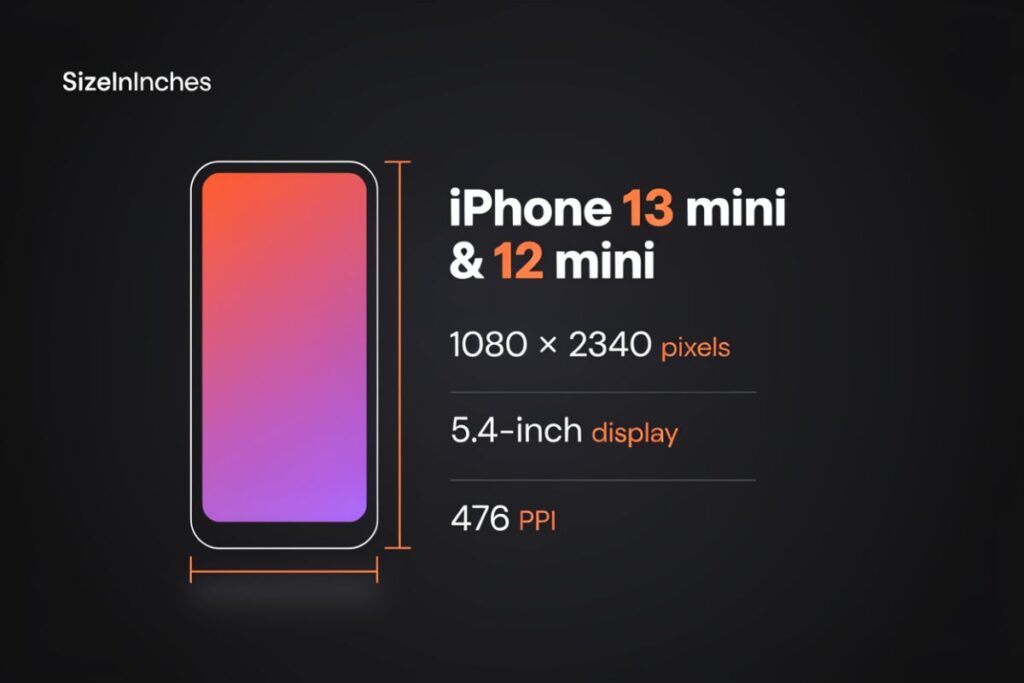
The small but modern iPhones use a wallpaper size of 1080 × 2340 pixels on a 5.4-inch display. This covers the iPhone 13 mini and iPhone 12 mini. They pack the same tall 19.5:9 shape as full-size iPhones into a much smaller body, so the wallpaper fits the same way, just scaled down.
These were Apple’s answer for people who wanted a modern iPhone that fit one hand. The screen is an OLED panel with a very high density, around 476 pixels per inch, which is even sharper than most larger iPhones. That tight pixel count keeps text and photos crisp on the tiny display. For a clean, full-screen background on a mini, use 1080 × 2340 pixels and a portrait image.
The Big Older OLEDs: iPhone 11 Pro Max and XS Max
These large older iPhones use a wallpaper size of 1242 × 2688 pixels on a 6.5-inch display. This covers the iPhone 11 Pro Max and the iPhone XS Max. Both have the wide notch at the top, but the screen still uses the tall 19.5:9 shape, so a portrait image fits well.
These phones were the top of the line before the flat-edged design arrived. The display is a Super Retina OLED running at about 458 pixels per inch, still sharp by today’s standards. The rounded corners and notch mean part of your wallpaper sits behind the status bar. For a full fit with no stretching, use 1242 × 2688 pixels on one of these classic big-screen models.
The First Notch Phones: iPhone X, XS, and 11 Pro
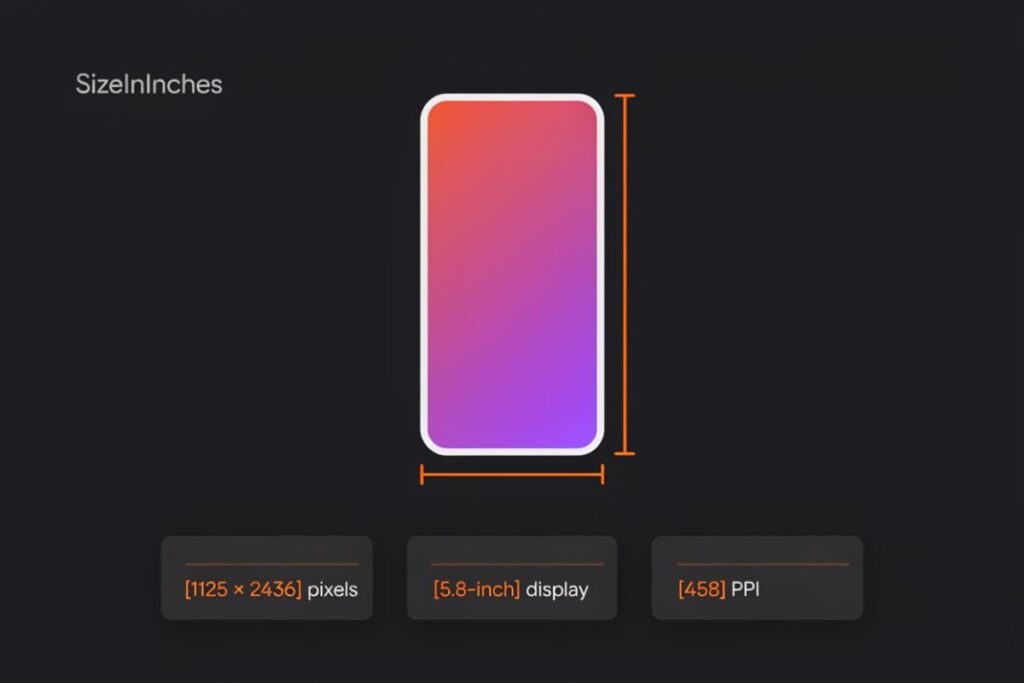
The iPhones that started the notch era use a wallpaper size of 1125 × 2436 pixels on a 5.8-inch display. This covers the iPhone X, iPhone XS, and iPhone 11 Pro. They introduced the edge-to-edge screen and the tall 19.5:9 shape that iPhones still use today.
The iPhone X was the first to drop the home button and go all-screen. Its OLED panel runs at about 458 pixels per inch, giving deep blacks and bright color. The famous notch holds the Face ID sensors at the top. Because these models kicked off the modern iPhone look, their size still matters for many users. Use 1125 × 2436 pixels for a perfect background on one of these phones.
The Budget LCD Models: iPhone 11 and XR
These value iPhones use a wallpaper size of 828 × 1792 pixels on a 6.1-inch display. This covers the iPhone 11 and the iPhone XR. They share the tall 19.5:9 shape of pricier models, but with fewer pixels, so backgrounds may look a touch softer up close.
Unlike the Pro models, these phones use an LCD screen instead of OLED, which Apple calls a Liquid Retina display. It runs at about 326 pixels per inch, lower than the 458 or 460 of OLED iPhones. The colors are still bright and clear for everyday use. Since these were big sellers, their size comes up often. Use 828 × 1792 pixels for a full, clean fit on an iPhone 11 or XR.
The Classic Plus Phones: iPhone 8 Plus, 7 Plus, and 6s Plus
The older big-screen iPhones use a wallpaper size of about 1080 × 1920 pixels on a 5.5-inch display. This covers the iPhone 8 Plus, 7 Plus, and 6s Plus. They use the wide 16:9 shape, like a TV, so a landscape or square-ish image fits better than a tall one.
These phones came with a home button and thick top and bottom bezels. The LCD screen runs at about 401 pixels per inch. One quirk: iOS actually renders these screens at a larger 1242 × 2208 pixels, then shrinks the image to fit the panel. So many people design wallpapers at 1242 × 2208 for the sharpest look. Either way, keep the 16:9 shape for a proper fit.
The Newer Budget Model: iPhone 16e
The iPhone 16e uses a wallpaper size of 1170 × 2532 pixels on a 6.1-inch display. It matches the older 14, 13, and 12 in size, but it’s a much newer phone. If you own a 16e, use these exact dimensions for a crisp, full-screen fit.
The 16e is Apple’s lower-cost model, sold alongside the flagship lineup. It uses an OLED screen at about 460 pixels per inch, so it looks just as sharp as pricier iPhones. Instead of the Dynamic Island, it keeps the older notch at the top for Face ID. The tall 19.5:9 shape means a portrait image works best. Use 1170 × 2532 pixels for a clean background on the iPhone 16e.
The Smallest iPhones: iPhone SE (1st Gen), 5s, and 5
The tiniest iPhones use a wallpaper size of 640 × 1136 pixels on a 4.0-inch display. This covers the first-generation iPhone SE, the iPhone 5s, and the iPhone 5. They use the wide 16:9 shape and have the smallest screens of any iPhone, so wallpapers here are low-resolution by today’s standards.
These compact phones were built for one-handed use before big screens took over. The LCD display runs at about 326 pixels per inch, which still looked sharp at this small size. The home button and bezels leave a clear, boxy screen for your background. Because the screen is so small, a large modern image will crop a lot. Use 640 × 1136 pixels for a proper fit on one of these classic iPhones.
The 6.9-Inch Giants: iPhone 17 Pro Max and 16 Pro Max
READ ALSO : How Much Is 300 g? Everyday Objects to Picture It
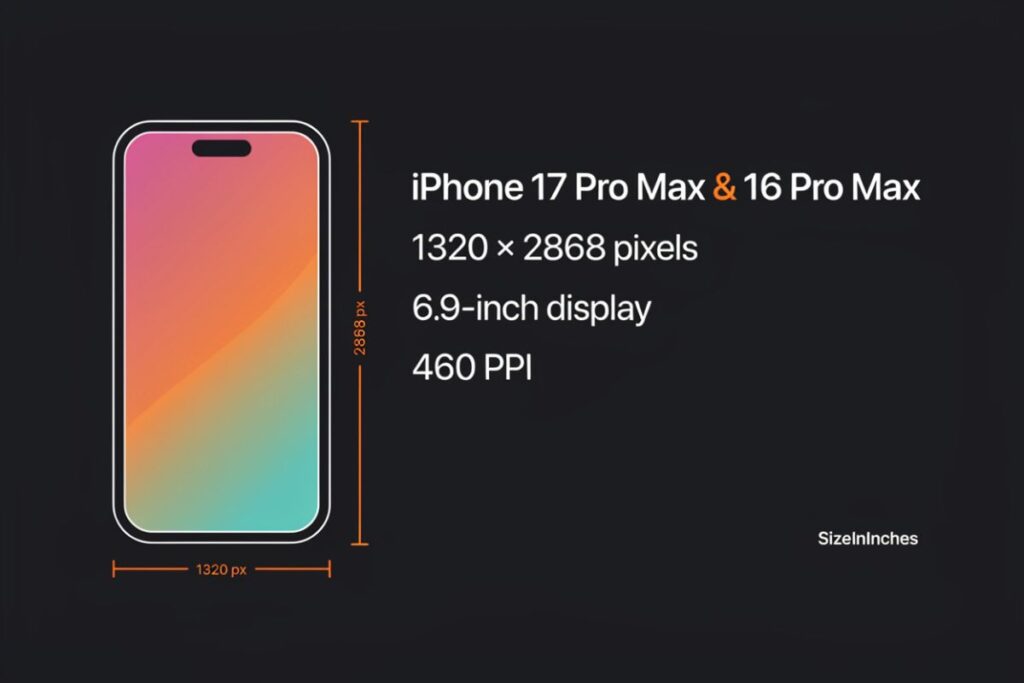
The biggest iPhones use a wallpaper size of 1320 × 2868 pixels. This size covers the iPhone 17 Pro Max and the iPhone 16 Pro Max, both with a 6.9-inch Super Retina XDR display. It’s the highest resolution on any iPhone right now. Match it exactly, and your background looks razor-sharp from edge to edge.
Apple bumped up to this size when it grew the Pro Max screen from 6.7 to 6.9 inches. The display uses an OLED panel, which lights each pixel on its own for deep blacks and bright color. At about 460 pixels per inch, your eye can’t spot the individual dots. Since this is the largest current size, an image made for it also scales down cleanly to smaller iPhones without losing quality.
The 6.3-Inch Screens: iPhone 17, 17 Pro, and 16 Pro
The newest standard iPhones use a wallpaper size of 1206 × 2622 pixels. This covers the iPhone 17, the iPhone 17 Pro, and the iPhone 16 Pro, all with a 6.3-inch display. It’s the size most new buyers need, so it’s a smart one to remember.
This screen size arrived when Apple grew the base and Pro models slightly. The iPhone 17 and 17 Pro share the exact same display, so only the frame and cameras differ between them. Both run at a smooth 120Hz refresh rate with ProMotion. Because these models are so popular, many wallpaper apps list 1206 × 2622 as a top preset. Use it for a clean, full-screen fit with no awkward cropping.
The Slim One: iPhone Air
The iPhone Air uses a unique wallpaper size of 1260 × 2736 pixels on its 6.5-inch screen. This size is new, so no older iPhone shares it. If you own an Air, use these exact dimensions for the best result.
The Air replaced the older Plus models in Apple’s lineup. It’s the thinnest iPhone ever made, at just over 5.6 millimeters deep, yet it still packs a bright, high-resolution display. Like other modern iPhones, it hits about 460 pixels per inch for a crisp picture. Since its size sits between the 6.3-inch and 6.7-inch classes, a wallpaper made for another model may crop oddly. Matching the Air’s own size avoids that.
The Common 6.1-Inch: iPhone 16, 15, and 14 Pro
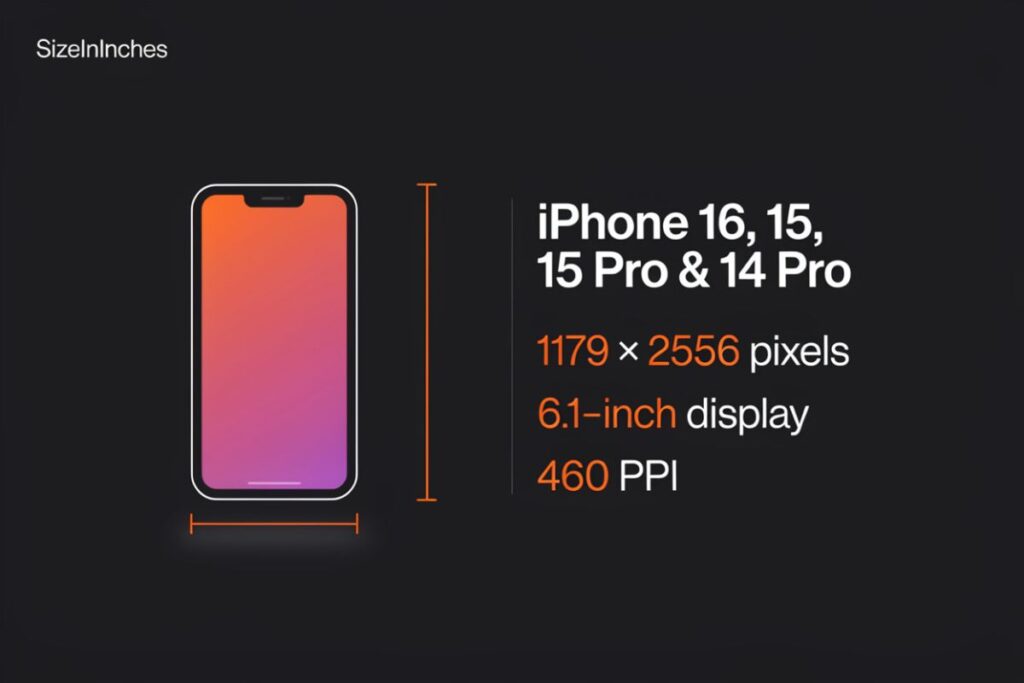
A huge number of iPhones use a wallpaper size of 1179 × 2556 pixels. This covers the iPhone 16, iPhone 15, iPhone 15 Pro, and iPhone 14 Pro, all with a 6.1-inch display. It’s one of the most widely used sizes, so a wallpaper this size fits many phones.
This resolution first showed up on the iPhone 14 Pro, the model that introduced the Dynamic Island. The standard iPhone 15 and 16 later adopted the same sharp screen. All these phones run at about 460 pixels per inch. Because so many people carry one of these models, designers often build wallpapers at 1179 × 2556 first. If you’re not sure of your exact size, this is a safe starting point for a recent 6.1-inch iPhone.
The 6.7-Inch Big Screens: iPhone Plus and 15 Pro Max
The larger older iPhones use a wallpaper size of 1290 × 2796 pixels. This covers the iPhone 16 Plus, iPhone 15 Plus, and iPhone 15 Pro Max, all with a 6.7-inch display. It’s also a popular “safe” size that scales well to many devices.
Apple used this 6.7-inch size across several years before the Pro Max grew to 6.9 inches. The screen is big, bright, and great for video and reading. Like newer models, it runs near 460 pixels per inch. Many wallpaper sites treat 1290 × 2796 as a good all-around size, since it’s large enough to shrink down to smaller screens with no loss. If you have a Plus or a 15 Pro Max, this is your exact fit.
The Older Standard: iPhone 14, 13, and 12
Older 6.1-inch iPhones use a wallpaper size of 1170 × 2532 pixels. This covers the iPhone 14, iPhone 13, and iPhone 12, plus their base Pro versions. If you own one of these, this is the size that fills the screen perfectly.
These models set the look for the tall, flat-edged iPhone. The screen keeps the same 19.5:9 shape as newer phones, just with slightly fewer pixels. It still runs at about 460 pixels per inch, so text and photos look clean. A wallpaper built for a newer model will work here too, since iOS shrinks larger images without harm. But for an exact match with zero cropping, use 1170 × 2532.
The Older Large Size: iPhone 14 Plus and 13 Pro Max
Some older big-screen iPhones use a wallpaper size of 1284 × 2778 pixels. This covers the iPhone 14 Plus, iPhone 13 Pro Max, and iPhone 12 Pro Max, all with a 6.7-inch display. It’s close to the newer 1290 × 2796 size, but not the same.
These were the largest iPhones of their day, before the switch to 6.9 inches. Their screens run at about 458 pixels per inch, just a hair below the 460 of newer models. The tiny difference in size matters for a perfect fit, so don’t mix this up with the 1290 × 2796 size. For an exact background on one of these phones, stick with 1284 × 2778 pixels and a 19.5:9 shape.
The Odd One Out: iPhone SE
The iPhone SE uses a wallpaper size of 750 × 1334 pixels on its small 4.7-inch screen. This is the only modern iPhone that still uses the older 16:9 shape instead of the tall 19.5:9. So its wallpapers look different from every other model here.
The SE keeps the classic home-button design with thick top and bottom bezels. Its screen runs at about 326 pixels per inch, lower than the 460 of newer iPhones, but still clear at this size. Because the shape is wider and shorter, a tall wallpaper made for a newer phone will crop badly on the SE. Use 750 × 1334 pixels to get a clean, full fit on this compact iPhone.
How to Find Your iPhone Wallpaper Size Without the Specs Page
Not sure which size you need? These three tricks tell you fast, no spec sheet required.
Take a Screenshot and Check Its Info
This is the quickest method. Take any screenshot on your phone, then open it in the Photos app. Tap the info button, shown as a small “i” or an upward swipe. You’ll see the image’s pixel size, like 1179 × 2556. That number is your exact screen resolution, which is also your ideal wallpaper size.
Look Up Your Model in Settings
Your model name points straight to the size. Open Settings, tap General, then tap About. Your iPhone’s model name sits near the top of the list. Once you know it, scroll back to the chart above and match it to find your exact wallpaper dimensions. It takes under a minute.
Match It on Apple’s Compare Page
Apple lists every screen resolution on its own website. Search your model name plus “technical specifications,” or open Apple’s iPhone compare page. Look under the display section for the native resolution in pixels. This works great if you bought a used iPhone and want to confirm the size before you download a wallpaper.
iPhone Wallpaper Size vs. Other Screen Sizes
Seeing iPhone sizes next to other screens helps it all click. Here’s how a top iPhone compares to common devices.
| Device | Typical Resolution | Aspect Ratio |
| iPhone 17 Pro Max | 1320 × 2868 | 19.5:9 |
| Standard iPhone | 1179 × 2556 | 19.5:9 |
| Android FHD+ phone | 1080 × 2340 | 19.5:9 |
| Samsung Galaxy Ultra | 1440 × 3120 | 19.5:9 |
| 4K universal image | 2160 × 3840 | 16:9 |
Most iPhones and Android phones share the same tall 19.5:9 shape, which is why a portrait image fits both well. High-end Samsung phones pack more pixels, so their wallpapers are larger. A regular photo from a camera is often 4:3, which is much wider than a phone screen, so it crops a lot. A safe trick for any device is a large 4K image, since your phone shrinks it down with no loss of quality.
Frequently Asked Questions
What Is the Size for an iPhone Wallpaper?
It depends on your model, but the iPhone 17 Pro Max uses 1320 × 2868 pixels and most standard iPhones use 1179 × 2556 pixels.
Are iPhone Wallpapers 9:16?
Modern iPhones use a taller 9:19.5 ratio, not 9:16. Only the older iPhone SE still uses the shorter 9:16 (16:9) shape.
Is 16:9 a Wallpaper Size?
Yes, 16:9 is a valid wallpaper ratio, but only for the iPhone SE and older models. Modern iPhones from the iPhone 12 onward use a taller 19.5:9 shape.
What Ratio Is an iPhone 16 Wallpaper?
The iPhone 16 uses a tall 19.5:9 aspect ratio, at 1179 × 2556 pixels. Every iPhone 16 model shares this same 19.5:9 shape.
What is the wallpaper size for iPhone 16?
The iPhone 16 wallpaper size is 1179 × 2556 pixels, on its 6.1-inch screen. The iPhone 16 Plus uses 1290 × 2796, the 16 Pro uses 1206 × 2622, and the 16 Pro Max uses 1320 × 2868. So the right size depends on which iPhone 16 model you own.
Is a 4K image good for an iPhone wallpaper?
Yes, a 4K image works great as an iPhone wallpaper. At 3840 × 2160 pixels, it’s larger than any iPhone screen, so it stays sharp. iOS simply scales it down to fit with no loss of quality. Just crop it to a tall shape first to avoid awkward cropping on screen.
Why does my iPhone wallpaper look blurry or zoomed in?
A blurry wallpaper usually means the image is smaller than your screen resolution, so iOS stretches it. A zoomed look often comes from the parallax effect, which shifts the image as you tilt the phone. To fix the zoom, turn on Reduce Motion in Accessibility settings, or pinch to zoom out during setup.
What aspect ratio is an iPhone wallpaper?
Modern iPhones use a 19.5:9 aspect ratio, which is tall and narrow. This covers every Face ID model, from the iPhone 12 through the iPhone 17. The only exception is the iPhone SE, which still uses the older, wider 16:9 shape. A portrait image fits the 19.5:9 screen best.
Can I use one wallpaper size for all iPhones?
Yes, you can use one large size for all recent iPhones. A 1320 × 2868 image, matching the biggest current screen, scales down cleanly to smaller models. A 4K image works too. iOS shrinks larger images without harm, so a big, high-quality file is your safest all-in-one choice.
Final Takeaway
Now you know the right iPhone wallpaper size for your phone. The size depends on your model. The iPhone 17 Pro Max uses 1320 × 2868 pixels, while most standard iPhones use 1179 × 2556. All modern iPhones share a tall 19.5:9 shape. To get the sharpest look, match your screen’s exact resolution. You can also use a larger image, like a 4K file, and your phone will shrink it to fit.
These simple steps help you every time. Take a screenshot and check its pixel size to find your exact wallpaper size. You can also look up your model in Settings under About. Keep these easy tips in mind, and your background will always look crisp, clear, and perfectly placed.


One Comment